
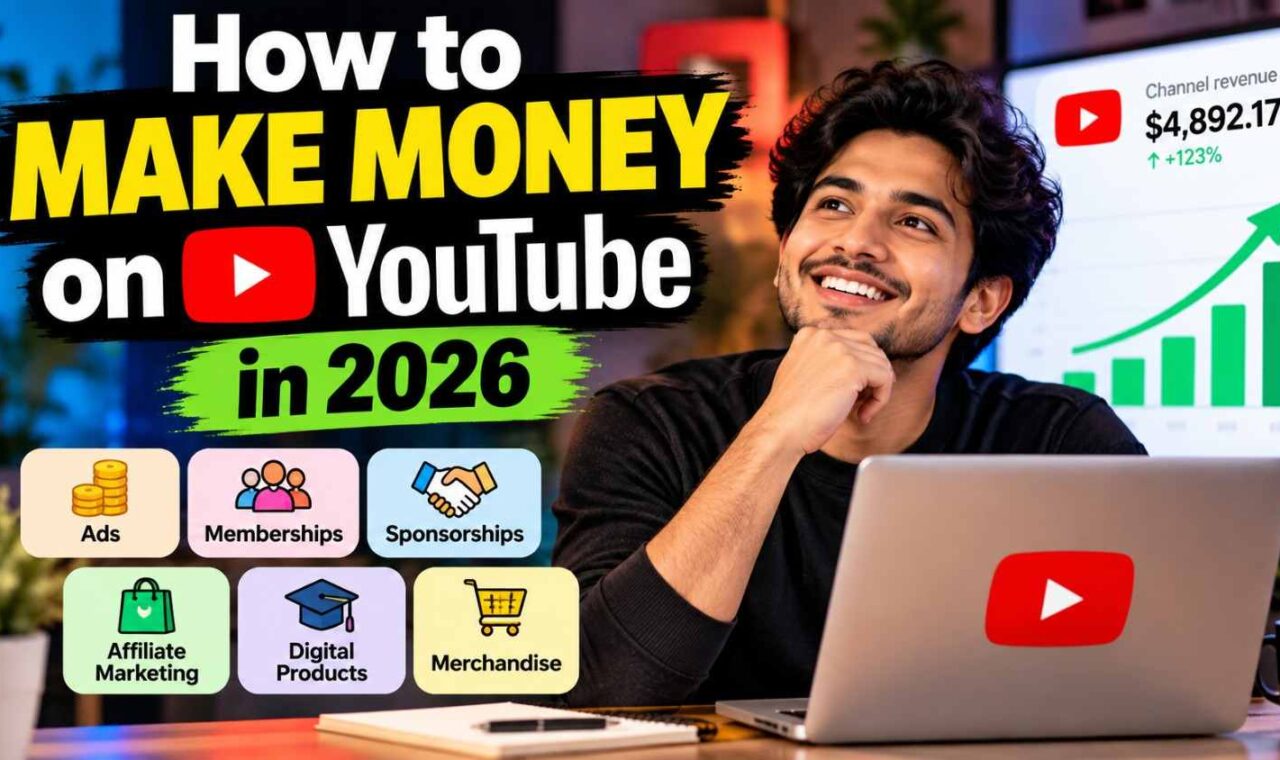
You can make money on YouTube in more ways than only waiting for ads. Ads are one road. Not the whole road. Creators can earn from Shorts revenue, YouTube Premium, channel memberships, Super Thanks, live-stream fan funding and Shopping. You can also earn outside these tools with affiliate marketing, sponsorships, your own products or services. YouTube officially lists ads, Premium, memberships, Shopping and fan funding as creator income options.
I think beginners often get stuck on one number—1,000 subscribers. But your first dollar may come before ad revenue. Maybe one useful tutorial brings an affiliate sale or a client. Your YouTube earnings also have no fixed pay for every 1,000 views. YouTube itself says earnings are not guaranteed.
Quick Answer: How Do You Make Money on YouTube?
Making money on YouTube is not only about ads. I used to think you need 1,000 subscribers first, then money starts. It is not that simple. You can earn outside YouTube monetization too, even with a small channel.
The path I would follow is simple: choose one audience → make useful videos → bring viewers → earn their trust → monetize that attention → add more income sources.
Say you make mobile phone review videos. A viewer comes because they want to know which phone is good. Your honest review helps them decide. That one video may earn through ads later, but an affiliate link or sponsor can also bring income. This is why useful viewers sometimes matter more than a big subscriber number.
The 12 Ways You Can Make Money
| Method | Need YPP? | Need 1,000 Subscribers? | Best For | Income Type |
|---|---|---|---|---|
| Watch-page ads | Yes | Generally yes for ads tier | Long videos | Platform |
| Shorts Feed ads | Yes | Generally yes for ads tier | Shorts | Platform |
| YouTube Premium | Yes | Ads/Premium tier | Eligible creators | Platform |
| Memberships | Yes | Not always 1K | Loyal viewers | Recurring |
| Super Thanks | Yes | Not always 1K | Engaged viewers | Fan funding |
| Super Chat/Stickers | Yes | Not always 1K | Live streams | Fan funding |
| YouTube Shopping | Eligibility applies | Not always 1K | Product channels | Commerce |
| Affiliate marketing | No | No | Reviews/tutorials | Commission |
| Sponsorships | No | No | Niche channels | Brand |
| Digital products | No | No | Education/expert channels | Product |
| Services | No | No | Skilled creators | Service |
| Merchandise | No for external selling | No | Communities | Product |
One thing matters here. Don’t wait for AdSense like it is the only door. A small useful channel may have affiliate sales, clients or sponsors before reaching the full ads level.
YouTube currently puts memberships, Super Thanks, Super Chat/Stickers and Shopping among features that can become available through its expanded Partner Program, when the channel and feature requirements are met.
So first build something people actually come back for. Money has more places to enter after trust is there.
YouTube Monetization Requirements in 2026
YouTube monetization looks little confusing when you first see the numbers. 500 subscribers here. 1,000 there. Then 3,000 hours, 4,000 hours, millions of Shorts views. I also found this confusing first time.
The simple thing is this: YouTube has two earning levels in 2026. Reaching a number also does not mean YouTube automatically accepts your channel. Your channel still goes through YPP review and must follow monetization rules.
500-Subscriber Expanded YPP Level
This is the earlier door into the YouTube Partner Program (YPP) in eligible countries.
You need:
500 subscribers + 3 valid public uploads during last 90 days, and either 3,000 qualified public watch hours during last 12 months or 3 million qualified Shorts views during last 90 days.
But one mistake I see people make: they hear “500 subscribers monetization” and think ads start now.
Not exactly.
At this level, eligible creators can get features such as Channel Memberships, Super Chat, Super Stickers, Super Thanks and YouTube Shopping. Each feature can have its own extra eligibility rules. Normal Watch Page Ads and Shorts Feed Ads belong to the higher level.
1,000-Subscriber Ads & Premium Level
For ad revenue in 2026, the bigger target is 1,000 subscribers plus either 4,000 qualified long-form watch hours in the previous 12 months or 10 million qualified public Shorts views in 90 days.
This level can unlock Watch Page Ads, Shorts Feed Ads and YouTube Premium revenue, after required eligibility and monetization steps are met.
| Requirement | Expanded YPP | Ads/Premium Tier |
|---|---|---|
| Subscribers | 500 | 1,000 |
| Public uploads | 3 in 90 days | — |
| Long-form watch hours | 3,000 | 4,000 |
| Shorts alternative | 3 million | 10 million |
| Memberships/fan funding | Eligible* | Eligible* |
| Shopping | Eligible* | Eligible* |
| Watch Page Ads | No | Yes |
| Shorts Feed Ads | No | Yes |
| YouTube Premium | No | Yes |
*Extra feature eligibility can apply.
What Watch Time Does Not Count?
Here is where creators can lose months chasing wrong numbers.
Watch hours from Shorts viewed inside the Shorts Feed do not count toward the 4,000-hour long-form requirement. Private, unlisted and deleted videos also don’t provide qualified watch hours. Certain livestream watch time and views/watch time from ad campaigns also don’t count.
There is one useful detail. YouTube says Follow-on Views—organic views received after somebody discovers you through promoted content—can count toward YPP eligibility. The paid campaign activity itself does not.
So don’t just chase the number shown on your general Analytics screen. Open YouTube Studio → Earn and watch your actual YPP eligibility progress. That little difference can save you from thinking, “I crossed 4,000 hours, why am I still not eligible?”
Important: YouTube Monetization Is Changing in 2027
Last verified: September 24, 2026
This part is important. Very important if you are still trying to enter YouTube Partner Program.
Right now, in 2026, YouTube asks 1,000 subscribers plus 4,000 qualified watch hours in last 365 days, or 10 million qualified Shorts views in last 90 days, for ads revenue entry.
But February 1, 2027 changes this for new YPP applicants.
| Requirement | Current 2026 | Starting Feb. 1, 2027 |
|---|---|---|
| Subscribers | 1,000 | 1,000 |
| Watch hours route | 4,000 | 8,000 |
| Shorts route | 10 million | 20 million |
| Time window | 365 days / 90 days | 365 days / 90 days |
That jump is big. If you have 5,000 watch hours today, you can be above today’s watch-hour requirement. Same 5,000 hours would not meet the new 8,000-hour entry level after February 1, 2027.
One thing I would not panic about: if you are already in YPP, YouTube says your YPP status is not removed just because you fall below these new entry numbers. These higher thresholds are for new applicants.
YouTube is also changing channel activity rules and expanding Premium Lite. Existing monetizing creators should review and accept the updated monetization terms in YouTube Studio by January 31, 2027 to keep earning from the related features.
Important: Don’t write “YouTube needs 8,000 watch hours” as today’s rule. It does not. In September 2026, the current ads entry requirement is still 4,000 qualified watch hours. The 8,000-hour rule starts February 1, 2027 for new applicants.
How Much Money Can You Make on YouTube?
Last verified: September 26, 2026
This question looks simple. It is not.
“How much YouTube pay for 1,000 views?” I see this question everywhere. You may also see answers like $2, $5, or $10 for every 1,000 views. I would not plan my income using those numbers.
YouTube does not have one fixed pay rate for every 1,000 views.
Why There Is No Fixed YouTube Pay Rate
Think about two channels getting 100,000 views. Same views. Their money can still be very different.
Why?
Viewer country matters. Advertisers may spend differently to reach people in different places. YouTube says CPM can change when the geography of your viewers changes because competition between advertisers is different by location. Time of year matters too. YouTube specifically notes that U.S. advertisers tend to spend a little more around November and December.
Then comes your topic, advertiser demand and available ad formats.
And here is something beginners often miss: not every view has an ad.
A person may watch your video when no suitable ad is available. Ads may be turned off. Your video may not qualify for ads. The viewer may not match advertiser targeting. Geography and even how recently that person saw an ad can matter. So 100,000 video views does not mean 100,000 monetized views.
This is why I would look inside YouTube Studio before trusting some income number from another creator.
RPM vs CPM: Know This Before Calculating Income
These two numbers confused me at first because both talk about “1,000.” But they are not same thing.
| Metric | Simple meaning |
|---|---|
| RPM | Money you earned per 1,000 views after YouTube revenue share |
| CPM | What advertisers pay per 1,000 ad impressions before YouTube revenue share |
A simple way to calculate RPM is:
RPM = Creator revenue ÷ Total views × 1,000
For basic CPM understanding:
CPM = Advertiser cost ÷ Ad impressions × 1,000
YouTube says RPM is creator-focused and can include revenue reported in Analytics from ads, YouTube Premium, memberships, Super Chat and Super Stickers. It also includes views that were not monetized. CPM is advertiser-focused.
That is why multiplying your CPM by total video views can give you a very wrong earnings estimate.
Example Earnings Calculation
Suppose your channel gets 100,000 views and your RPM is $3.
100,000 × $3 ÷ 1,000 = $300
So, in this hypothetical example, estimated revenue is $300.
But please don’t read this as “YouTube pays $3 per 1,000 views.” It does not prove that.
Your own RPM could be different. Even your same channel can change month to month.
Best thing? Open YouTube Studio → Analytics → Revenue. Check RPM, revenue sources, geography and different time periods. YouTube itself recommends comparing geography and seasonal trends when trying to understand why earnings move.
Your real channel data is much more useful than somebody else’s “YouTube pay per 1,000 views” number.
1. Make Money With YouTube Ads
Last verified: September 26, 2026
YouTube ads look simple from outside. Get views, ads play, money comes. But when you open YouTube Analytics, story can look very different. I would not judge a channel only from view count. A video getting fewer views can still have useful earning value because not every view gets an ad. YouTube itself says ads may not always be available when somebody watches your video.
Watch-Page Ads
When an eligible creator turns ads on for long videos, YouTube can show formats such as pre-roll, post-roll, skippable and non-skippable ads when appropriate. You don’t pick the exact advertiser. YouTube’s systems choose ads using things such as video context, metadata and advertiser-friendly status.
This is why I would watch RPM, not only views. RPM helps show how well your content is turning views into revenue.
Mid-Roll Ads
Got a monetized video 8 minutes or longer? Mid-roll ads can run inside it. YouTube allows automatic or manual ad slots. But putting an ad slot does not mean an ad must appear there. Its system still decides when an ad should serve.
I would place manual breaks around natural pauses or topic changes. Not in middle of your important sentence. More ad slots with angry viewers is not smart money.
Why Some Views Don’t Generate Ad Revenue
A monetized video can get 10,000 views without 10,000 ad plays. Sometimes no suitable ad is available. Some content can receive limited or no ads because of advertiser-friendly rules. Private videos and certain videos with third-party claims also cannot monetize with ads.
So don’t panic when views and ad revenue don’t move together.
How to Improve Revenue Without Chasing More Views
YouTube’s own RPM guidance suggests turning monetization on across eligible videos, using mid-rolls, and adding other eligible money features such as memberships or Super Chat.
Think about 50,000 high-intent finance or tutorial views versus 500,000 poorly monetized entertainment views. This is only an example, not an earning promise. Bigger traffic does not automatically mean better money.
Your real question should become: How much useful revenue are my existing views making?
2. Make Money With YouTube Shorts
YouTube Shorts can bring a lot of eyes very fast. But views and money are not same thing. I think this is where many new creators get confused. A Short gets 100K views, excitement comes, then creator opens revenue and thinks, “Why money looks small?”
Shorts is better to understand first as discovery + monetization, not only ad money.
How Shorts Revenue Works
Ads are shown between videos inside the Shorts Feed, not simply attached to your Short like normal long videos. YouTube pools eligible Shorts Feed ad revenue, calculates the Creator Pool, then allocates revenue based on eligible engaged views. Monetized creators keep 45% of the revenue allocated to them.
So there is no honest fixed answer like “1,000 Shorts views = $X.” Country, eligible views and the Creator Pool matter.
Shorts Monetization Requirements
As of September 26, 2026, the current full YPP route for Shorts ad revenue is 1,000 subscribers and 10 million qualified Shorts views within the last 90 days. Another route is 1,000 subscribers plus 4,000 qualified long-form watch hours in 12 months.
One detail people miss: watch hours coming from the Shorts Feed do not count toward those 4,000 watch hours.
Shorts vs Long-Form Videos
| Factor | Shorts | Long Form |
|---|---|---|
| Discovery | Strong potential | Search/recommendations |
| Consumption | Fast | Deeper |
| Monetization | Shorts Feed | Watch page |
| Watch-time YPP route | Does not count | Counts when qualified |
| Affiliate opportunity | Possible | More room to explain |
| Content depth | Lower | Higher |
Can You Build a Business Using Only Shorts?
Yes, but I would not look only at ad revenue.
A Short can be the first door. Someone sees your 30-second tip, visits your channel, watches more, clicks an affiliate product, buys your product, or becomes regular viewer.
That changes my thinking: Shorts gets attention. Your business needs somewhere useful for that attention to go.
Also protect that traffic. Reuploaded clips, unedited movie/TV clips, compilations without original work, and fake views can be ineligible for Shorts revenue sharing.
Last verified: September 26, 2026 — Official YouTube Help documentation.
3. Earn From YouTube Premium
Last verified: September 26, 2026
YouTube Premium revenue is easy to miss. A Premium member watch your video, but they see no normal ads. Still, your work can earn money.
YouTube says part of Premium membership fees goes to creators based on how much Premium members watch their content. For long videos, eligible creators need the Watch Page Monetization Module accepted and Watch Page ads turned on. For Shorts, the Shorts Feed Monetization Module is required. Even downloaded video watch time can be counted after the member comes online again.
This is why I would not look only at ad views. A viewer paying for Premium may still create YouTube Premium revenue for your channel.
One change is coming, but not yet. From February 1, 2027, YouTube says Premium Lite will expand to all countries where Premium is available. Creators will share through separate Premium and Premium Lite revenue pools based on member watch activity. YouTube also says, based on 2026 performance, creators earned more per Premium user on average than from an ad-supported user.
So, simple point: make videos people really want to keep watching. Premium viewers matter too.
5. Earn Through Super Thanks, Super Chat and Super Stickers
Last verified: September 26, 2026
Ads are not the only money inside YouTube. Sometimes your regular viewers simply want to support what you doing. YouTube calls these fan funding features. Your channel must be in the YouTube Partner Program, you must be at least 18, and the feature must be available in your country or region.
Super Thanks works on eligible normal videos and Shorts. A viewer buys it once, gets an animation, and can leave a special colorful comment. I like this idea for tutorials especially. Someone solved a hard problem because of your video? That small “thank you” can become real earning. YouTube says creators receive 70% of recognized Super Thanks revenue after local sales tax and applicable iOS App Store fees are deducted.
Super Chat is different. It works during eligible live streams and Premieres. A viewer pays to make their live-chat message stand out, sometimes staying near top longer. For Q&A, gaming, teaching, or live problem solving, this can feel natural.
Super Stickers are more visual. Viewer buys an animated image inside live chat. Entertainment communities often fit this better because people want fun interaction, not always a written message.
One thing I would not do: keep asking people for money every few minutes. It gets tiring. Give value first. Talk with people. Say thank you when someone supports. YouTube itself recommends acknowledging these contributions because it can help build connection with your community.
6. Make Money With Affiliate Marketing
You don’t always need 1,000 subscribers before your YouTube channel can help you earn money.
Affiliate marketing is one way. Simple idea. You talk about a useful product, give a special link, and when somebody buys through that link, you may get commission. This can work even when your audience is small, if the viewers came with a real buying problem.
How YouTube Affiliate Marketing Works
Say I make a video about a budget microphone. I show how it sounds, what I liked, and also the annoying parts. Then I place an affiliate link near the video description.
Someone watches. They trust the review. Click. Buy.
That sale may give a commission.
YouTube also has its own Shopping affiliate program for eligible creators. As of September 2026, YouTube says it is available to eligible creators in countries including India, United States, Brazil, Japan, Indonesia, Korea and several others. Its program requires the creator to meet YouTube’s eligibility rules, including being in YPP.
Last verified: September 26, 2026 — Official YouTube Help.
But don’t confuse YouTube’s built-in Shopping affiliate program with ordinary outside affiliate programs. You can use external affiliate programs separately, subject to their rules and YouTube policies.
Best Videos for Affiliate Revenue
I would not throw links under every video. The product should solve the same problem that brought your viewer there.
| Video | Natural affiliate opportunity |
|---|---|
| Product review | Product tested |
| Comparison | Products compared |
| Tutorial | Tool used in tutorial |
| Best X for Y | Recommended choices |
| Setup video | Equipment being installed |
| Problem/solution | Product that helps solve it |
This feels much better than pushing random products. A viewer searching “best microphone for YouTube beginners” already has different intent from somebody watching a funny Short.
Simple Affiliate Revenue Formula
A useful rough calculation is:
Affiliate income = clicks × conversion rate × commission
Here is a hypothetical example only:
1,000 clicks × 3% purchases × $20 commission = $600
Real results can be much lower or higher. Returns can matter too. For YouTube Shopping specifically, YouTube says commissions can be reversed when customers return products.
Affiliate Disclosure
Don’t hide the money relationship.
Tell people clearly when you may earn commission. YouTube requires relevant commercial relationships to follow its disclosure rules, while local laws can add further requirements.
For U.S. audiences, the FTC says affiliate relationships should be disclosed clearly and conspicuously, close to the recommendation or link. Simply writing “affiliate link” may not clearly tell people that you earn money from purchases.
Trust is worth more than one quick commission. Recommend junk once, and your viewer may remember it for a long time.
7. Get YouTube Sponsorships and Brand Deals
Last verified: September 26, 2026
You don’t need millions of subscribers before thinking about a YouTube sponsorship. A smaller channel can still have something useful for a brand: the right people watching.
YouTube itself now has Creator Partnerships, where eligible YPP creators can be discovered by brands. Creators can also build a Media Kit using channel audience data and set desired rates for long videos and Shorts. It is currently available in countries including India, United States, UK, Canada, Japan and others.
Can Small Channels Get Sponsors?
Yes, possible. But subscriber number alone don’t tell whole story.
Think about a small camera channel. Maybe 8,000 subscribers, but its videos regularly reach photographers looking to buy lenses. For a camera company, those viewers may matter more than a much bigger random audience.
This is why I would first look at who watches, average views, and what those viewers actually want.
What Sponsors Actually Look At
| Sponsor metric | Why it matters |
|---|---|
| Audience | Are these the brand’s buyers? |
| Geography | Where viewers live |
| Average views | More useful than one viral video |
| Engagement | Shows audience interest |
| Niche | Shows product fit |
| Past results | Gives proof when available |
| Deliverables | Short, full video, mention, etc. |
| Usage rights | How brand can reuse your content |
YouTube also lets brands access organic and paid performance metrics when creators grant brand partner access.
How to Approach Brands
Don’t send, “Please sponsor my channel.”
Send a small useful pitch. Tell them who your viewers are, normal video performance, your content idea, why their product fits, and what you can deliver. Attach a simple media kit. Real analytics screenshots help.
How Much Should You Charge?
There is no honest one-price answer.
Your price can change with niche, audience country, normal views, video type, number of deliverables, exclusivity, content usage rights, and whether the brand wants to boost your video as advertising. YouTube itself lets eligible creators enter desired rates for long-form and Shorts partnerships.
One more thing. Don’t hide the deal. YouTube requires creators to declare branded content using its paid promotion setting, and local disclosure laws may add more requirements.
8. Sell Digital Products
Last verified: September 26, 2026
You don’t need millions of views to sell something useful.
This is one part of YouTube money I like because you can build a small thing first. A template. Ebook. Spreadsheet. Checklist. Printable. Preset. Small software tool. Even access to a paid community.
But here I see one mistake often. Creator first thinks, What can I sell?
I think better question is, what does my viewer already need?
Match the Product to Viewer Intent
Say you make Excel tutorials. Someone watches your video because monthly expense tracking is confusing them. After showing how to build the sheet, you offer your ready-made budget spreadsheet.
That connection feels natural.
Excel tutorial → useful spreadsheet template
Not:
Excel tutorial → random T-shirt
The second one may sell, sure. But why would that viewer want it?
| Your YouTube Content | Product That Fits |
|---|---|
| Budget videos | Budget spreadsheet |
| Photography tutorials | Presets |
| Study videos | Printable planner |
| Fitness education | Workout tracker |
| Design tutorials | Templates |
Start small. I would not spend three months making a huge course before knowing people want it. Make one simple product. Mention it inside the video where it actually solves the next problem. Then watch clicks and sales. No sales? Check the offer, price, product fit, and video intent before building more.
Eligible creators can also connect a store with YouTube Shopping and show products in video descriptions, a channel Store, product shelves, videos, Shorts, and live streams. YouTube says sales from a connected store are paid through the creator’s retailer or commerce platform, not AdSense.
That detail matters.
Your video gets attention. Your product solves the deeper problem. When those two fit together, even a smaller channel can have something real to sell.
9. Sell Courses or Coaching
Last verified: September 26, 2026
You don’t need millions views to sell a course from YouTube. Sometimes 500 right viewers can matter more than 50,000 random ones. But there is one problem I see often. People start selling knowledge before showing they really know it.
When a Course Makes Sense
A course makes sense when people keep asking you the same problem.
Maybe you teach Excel. Your free videos explain formulas, but viewers want full learning from beginner to advanced. Now a course has purpose. Not just “I need money.”
YouTube itself now lets eligible creators organize videos into Courses. Official rules say a YouTube Course must actually teach something, contain at least three videos, and give extended learning.
A simple path can be:
Free useful video → viewer sees your skill → deeper course → clear result
Show what student will learn before asking money.
When Coaching Makes More Sense
Coaching is different. Course gives one lesson system to many people. Coaching means you look at one person’s problem and help around that exact situation.
If every person’s problem changes a lot, I would first think coaching. Coding errors, career planning, business problems, fitness technique, design feedback—these often need personal checking.
Start small. Work with few people. Notice repeated problems. Those repeated lessons may later become your course.
Don’t Manufacture Expertise
This part matters.
Don’t become “expert” because you opened a YouTube channel yesterday. Show your work. Show mistakes too. Demonstrate the process on screen. Use real case studies, credentials when relevant, and outcomes you can prove.
And don’t promise “make ₹1 lakh in 30 days” when you cannot prove it.
Trust comes slowly. One fake claim can break it very fast.
10. Sell Services Through YouTube
Last verified: September 26, 2026
You do not need millions views to get client from YouTube. Sometimes 300 right viewers are more useful than 30,000 random viewers.
Say you edit videos. Make one useful tutorial showing how you fix bad audio or boring cuts. A business owner watch it because he has same problem. He sees your work, not only your words. Trust start there.
Useful tutorial → viewer trusts your skill → service page → enquiry → client
Same idea works for coding, graphic design, SEO, accounting, photography, consulting, video editing, and many other skills.
I like this method because video become little proof of work. Instead of saying, “I am good SEO person,” you can show how you find a search problem and fix it. Much stronger.
One mistake I see is making tutorial, then giving viewer nowhere to go. Add a clear service page or contact route. YouTube currently lets creators place up to 14 profile links, and the first link gets prominent placement near the Subscribe button. Long-form video descriptions can also contain clickable external links when the channel has advanced features enabled.
Keep the path simple. Do not push hard in every minute.
“Need me to do this for your business? Details below.”
That can be enough.
And use safe, honest links. YouTube’s external-link rules apply to descriptions, comments, videos and other places on the platform.
A small channel can still become real business when the right person watches the right solution at right time.
11. Make Money With YouTube Shopping and Merchandise
Last verified: September 26, 2026 — Official YouTube Help
YouTube Shopping can turn a useful video into a small shop window. But I would not tag random stuff only because commission looks good. Viewer came for help first. Sell what really fits that help. Eligible creators can show products in videos, Shorts, live streams, descriptions, and other Shopping areas. :chatgpt-content-reference{index=”0″}
Your Own Products
Maybe you teach drawing. Selling your own sketch book, prints, or drawing kit can feel natural. A cooking creator may sell kitchen items. Your product should continue the video, not disturb it.
Eligible creators can connect a supported store with YouTube and tag their own products. YouTube says connected products can appear in places such as video descriptions, the channel Store tab, product shelves, videos, Shorts, and live streams.
Products From Other Brands
You don’t need your own product always. YouTube Shopping’s affiliate program lets eligible creators tag products from other brands and earn commission from qualifying purchases.
This part interested me more for small creators. You make a real review, show where product failed, who should buy it, who should skip it. Trust matters more than pushing 20 links.
As of this check, the affiliate program is available to eligible creators in 14 countries, including India, the United States, Japan, Brazil, Indonesia and others. Creators must meet YouTube’s eligibility rules.
Merchandise
T-shirts, mugs, caps, posters can work when viewers already care about your channel. Starting merch too early often means nobody buys.
Better question is not “What merch can I sell?”
Ask, “What would my viewers actually want from me?”
One warning: commission is not final instantly. YouTube says affiliate earnings can change after cancellations, refunds or exchanges, and qualifying commissions may be paid through AdSense for YouTube 60–120 days after purchase.
12. License Your Content
Sometimes your video worth money outside normal YouTube ads too. This happens when you own footage other people want to use.
Think you filmed a rare storm, unusual animal, big local event, original viral moment, specialist machine working, or documentary footage nobody else got. A news company, documentary maker, brand, or another publisher may want permission to use that clip. That permission can become a content licensing deal.
But I would check rights first. This part can get messy fast.
YouTube says when you create an original work, you usually own its copyright. It also says copyright owners have rights over how their work gets used and distributed.
Still, recording something yourself does not always mean you own everything inside it. I may film a public show myself, for example, but music or performance inside that recording can belong to somebody else. YouTube specifically warns about this.
So keep your original file, raw footage, date, and ownership proof. Before giving a buyer rights, read the license carefully—where they can use it, for how long, and whether rights are exclusive.
Last verified: September 26, 2026 — Official YouTube Help sources.
How to Make Money on YouTube Without 1,000 Subscribers
Last verified: September 26, 2026
You do not need 1,000 subscribers before your YouTube channel can make its first money.
I think this point gets missed a lot. New creators watch that subscriber number every morning. 184. Then 191. Maybe 203 next week. It feels like nothing can happen until 1,000.
But there are other roads.
| Method | 1K Subscribers Required? | What You Need Instead |
|---|---|---|
| Affiliate marketing | No | Relevant traffic |
| Sponsorship | No | Valuable audience |
| Digital products | No | Buyer intent |
| Services | No | Expertise and leads |
| External merchandise | No | Audience demand |
| Expanded YPP features | Not necessarily | 500-tier requirements |
Affiliate marketing is one simple example. Say you make videos about cheap microphones. A viewer searches “best microphone for YouTube beginners,” watches your real test, then buys through your disclosed affiliate link. You may earn commission. Your subscriber count did not make that sale. The useful video did.
Same thing can happen with services. A video editor with only a small channel may show how she fixes bad audio or edits Shorts. One business owner sees it and asks for paid work. Small audience, but right person.
Sponsorship can work this way too. A smaller channel with a clear, useful audience can have value to a relevant brand. Do not fake views or buy subscribers just to look bigger.
There is also an earlier YouTube Partner Program level. In eligible countries, YouTube currently allows creators to apply for expanded YPP at 500 subscribers, with 3 valid public uploads in 90 days, plus either 3,000 qualified long-form watch hours in 365 days or 3 million qualified Shorts views in 90 days. This can open eligible features such as memberships, Super Thanks, Super Chat, Super Stickers and Shopping.
Full ad revenue is different. As of this verification date, it still needs 1,000 subscribers plus 4,000 qualified watch hours or 10 million qualified Shorts views.
So don’t wait around for one magic number.
Subscribers are an audience metric—not a universal permission slip for making money.
Your first 300 useful viewers can sometimes matter more than 3,000 people who never need what you offer.
How to Start a YouTube Channel That Can Actually Make Money
Last verified: September 26, 2026
Starting YouTube is easy. Making a channel which can earn money is another story.
I would not start with camera, logo, fancy intro, or even subscriber target. I see people spend days doing these things, then they sit there thinking, what video I make now? Wrong problem first.
Step 1: Pick an Audience, Not Just a Niche
“Gardening” is a niche. Too big.
“Beginner home gardeners who keep killing vegetable plants” is an audience. Now ideas start coming.
Think about one person. What is bothering them tonight? What are they typing into YouTube because they need answer?
That is where I would begin.
Step 2: Find Problems People Already Search For
Don’t guess everything from your head.
Open YouTube search. Look at suggestions. Check videos already getting attention. Read comments. One comment sometimes gives better topic than an hour of keyword research.
YouTube also introduced Ask YouTube in May 2026, letting viewers ask complex questions and follow-up questions while finding videos. This makes clear, question-based topics even more useful to think about.
Write problems like:
- Why tomato leaves turning yellow?
- Why tomato flowers falling?
- How often should I water tomatoes?
- Why my tomatoes not growing?
These are not clever ideas. Good. They are real problems.
Step 3: Validate 30–50 Video Ideas
Before making channel around one topic, I want 30–50 useful ideas.
If I struggle after seven ideas, I stop. Maybe topic is too narrow, or I don’t understand that audience enough.
Check whether several channels are answering these questions. Look at comments too. Questions still unanswered are little openings.
Step 4: Create Your First 10 Videos
Don’t make 50 videos before learning anything.
Make 10. Treat them like tests.
For our beginner gardener, one can be “Why Are My Tomato Leaves Turning Yellow? 5 Things to Check.”
Show the leaf. Show soil. Show watering problem. Let viewer see what you mean.
Useful beats pretty.
Step 5: Improve Titles and Thumbnails
A good video hidden behind confusing title may die quietly.
YouTube says impressions show how often thumbnails appeared, while CTR tells how often people watched after seeing that thumbnail. It also warns creators not to judge CTR alone because traffic source and audience matter.
So don’t scream clickbait. Make promise clear.
Weak: “My Tomato Update #14”
Better: “Why Are My Tomato Leaves Turning Yellow?”
Step 6: Improve the First 30 Seconds
I click for yellow leaves. Then creator spends 45 seconds saying hello, asking subscription, telling channel history.
I leave.
Show me the yellow leaf.
Tell me what I will learn. Start solving.
Step 7: Study Retention
After publishing, go into YouTube Studio.
Look where people leave, stay, or rewatch. YouTube’s audience-retention report is made exactly for seeing which video moments held attention and where improvement may be needed.
That graph can hurt your ego. Still useful.
Step 8: Repeat Proven Topics
Suppose yellow-leaf video works.
Don’t copy same video ten times. Go deeper.
Make tomato watering mistakes, nitrogen problems, leaf disease, root problems. Build around the problem viewers already showed they care about.
Step 9: Introduce Monetization
Now money can enter naturally.
Yellow tomato leaves → useful tutorial → gardening-tool affiliate link → free plant-care checklist → paid gardening guide.
Later, maybe sponsorship from a gardening brand.
Don’t push random product because commission looks nice. It breaks trust fast.
For YouTube’s own monetization, current 2026 rules provide certain fan-funding and Shopping opportunities from the expanded YPP level at 500 subscribers, with additional requirements. Ads and YouTube Premium revenue currently require 1,000 subscribers plus the applicable qualified watch-hours or Shorts-view threshold.
Step 10: Diversify
This part matters.
Ads can be one bucket. Affiliate income another. Your guide another. Sponsor another.
One channel. Several sensible ways of earning.
But don’t build all of them on day one. First make somebody click. Then make them stay. Then help them enough that they want to come back.
That is where a YouTube channel starts becoming more than collection of videos. It starts becoming small business.
YouTube Metrics That Actually Matter for Making Money
Last verified: September 26, 2026
Views feel good. Subscriber number also feel good. But I would not look at these two numbers alone when asking, “Is this YouTube channel really making progress toward money?”
I learned this the simple way. A video can get many views and still make weak money. Another smaller video may bring returning viewers, better watch time, and useful revenue. So open YouTube Studio and look little deeper.
YouTube says its Studio Analytics can show content performance, audience data and revenue data. Since July 2026, YouTube has also been gradually rolling out an updated Studio experience. Advanced Mode lets creators compare videos, periods, groups and other performance data.
| Metric | What It Tells You | What I Would Check Next |
|---|---|---|
| Impressions | How often thumbnail was shown | Check topic and reach |
| CTR | How often impression became a view | Improve title/thumbnail |
| Retention | Where people stay or leave | Fix boring or weak parts |
| Average view duration | Average time watched | Improve video structure |
| Returning viewers | People coming back | Make related videos/series |
| RPM | Money earned per 1,000 views | Study monetization |
| Revenue source | Where money comes from | Don’t depend on one source |
Do not panic from one metric. YouTube itself says metrics should be connected together, because one number alone can mislead.
For example, low CTR may make you think thumbnail is bad. Not always. YouTube says CTR changes by audience and traffic source, and half of channels and videos have impressions CTR between 2% and 10%. So copying somebody’s “perfect CTR” number is not much help.
Retention is where I would look when people click but leave. The retention graph shows dips where viewers skip or stop watching. That gives you a real clue: maybe intro too long, answer came late, or one part just not useful.
Then money. RPM tells how much you earned per 1,000 views and can include ads, YouTube Premium, memberships, Super Chat and Super Stickers. But RPM still does not show your whole business, such as many sponsorships or outside service income.
My simple rule: Impressions get the chance. CTR gets the click. Retention keeps the person. Returning viewers build audience. RPM tells how well that attention becoming YouTube money.
Don’t chase one green number. Find where the chain is breaking, then fix that part.
Can AI and Faceless YouTube Channels Make Money in 2026?
Last verified: September 26, 2026
Yes. An AI or faceless YouTube channel can make money in 2026. But there is one thing I would not ignore: AI is not the main problem. Low-value content is.
YouTube says monetized content should be original and authentic. It should not look mass-produced, generic, repetitive, or made only to collect views.
That changes how I look at the question, “Can AI videos be monetized?”
AI Is Not the Same as Inauthentic Content
Using AI does not automatically stop YouTube monetization.
You may use AI to help with ideas, research, script improvement, thumbnails, titles, infographics, or other production work. YouTube even gives examples of AI being used to edit scripts or make unique background visuals while the final video still carries the creator’s own work and creative thinking.
A safer workflow looks like this:
AI research help → you check facts → original script → your examples and thinking → useful visuals → final human review.
That is very different from pressing a button and uploading whatever comes out.
What YouTube Calls Inauthentic Content
Here is where faceless AI channels can get into trouble.
In July 2025, YouTube renamed its “repetitious content” policy to “inauthentic content.” The clarification covers repetitive and mass-produced material.
YouTube specifically lists AI-generated videos using generic or unoriginal templates that look mass-produced and lack the creator’s authentic insight as content that cannot monetize under this guideline.
So this route looks risky:
Copied topic → generic AI script → generic AI voice → same stock clips → same template → repeat 200 times.
I would not build a channel around that model.
Reused Content vs AI Content
These are not the same issue.
Reused content means taking material already available on YouTube or elsewhere without enough original commentary, meaningful changes, education, or entertainment value. Even having permission from the original owner does not automatically solve YouTube’s reused-content monetization issue. Copyright and reused-content review are separate things.
This matters for faceless channels. Your face does not need to be the value. Your contribution does.
Safer Ways to Use AI
Use AI like a helper, not the whole creator.
Bring your own research. Check facts yourself. Add your experience, examples, testing, opinion where suitable, editing, story, and useful explanation. Make each video worth watching even after somebody watched your previous ten videos.
One more thing many creators miss. YouTube requires disclosure when AI creates or meaningfully changes realistic content in certain ways. But YouTube also says making the required AI disclosure does not itself reduce monetization eligibility or audience reach.
So the better question is not, “Did I use AI?”
Ask: “Did I actually create something useful that is mine?”
Reused Content: What Can Get Your Channel Rejected?
Last verified: September 26, 2026
Reused content is one place where YouTube creators get confused very fast. You may think, “I have permission, so why YouTube rejected my monetization?” I understand this doubt. Permission and YouTube Partner Program approval are not same thing.
YouTube looks at something more simple: What did you add?
What Reused Content Means
YouTube says reused content is content already found on YouTube or another online place, then used again without enough original commentary, meaningful changes, education, or entertainment value. This rule can affect your whole channel, not only one video.
Think about it like this. You find five viral clips. Join them together. Add music and subtitles. Maybe change colors.
Lot of editing happened. But did you really give something new to viewer?
That is the harder question.
Reviewers may look at your videos, channel description, video titles and descriptions to understand how you made or took part in the content.
Examples That Can Be Monetizable
Some reused material can still make money when your own work is clearly there.
| Content | Why It May Work |
|---|---|
| Movie clips used for critical review | Your analysis adds value |
| Reaction video | You give real commentary |
| Sports replay | You explain player moves |
| Other creator’s footage | You add storyline and commentary |
| Edited footage | Strong editing makes your version meaningfully different |
These are examples YouTube itself gives. Still, passing reused-content rules does not automatically clear copyright issues.
Examples That May Fail
Problems start when changes are very small. TV-show clips joined with little story. Short videos collected from social media. Songs from different artists put into one collection. Content uploaded many times by other creators. Even promoting another person’s content can fail monetization review.
My simple check would be this: Remove the borrowed clip. What useful part came from you?
Your explanation? Your research? Your jokes? Your teaching? Your story?
If answer feels almost nothing, I would fix that video before depending on it for YPP.
Copyright vs Reused Content
This part matters a lot.
Having permission does not automatically solve reused content.
YouTube clearly says reused-content review is separate from copyright enforcement, permission and fair use. So you might receive no copyright claim and still have monetization trouble. Even content used with the original creator’s permission can violate reused-content rules when your contribution is too small.
So don’t ask only, “Can I legally use this?”
Also ask, “Can a reviewer and normal viewer clearly see what I created here?”
That second question may save your channel from a painful YPP rejection.
What to Do If YouTube Rejects or Removes Monetization
Last verified: September 26, 2026
Seeing YouTube monetization rejected hurts. You worked months, maybe years. Then YouTube Studio shows bad news. Do not start deleting everything in panic. First understand what actually happened.
Find the Actual Reason
Open YouTube Studio → Earn and read the reason shown there. Monetization can fail because of reused or inauthentic content, policy problems, copyright issues, advertiser-friendly problems, or account/payment issues. A paused monetization status can also happen when an active approved AdSense for YouTube account is not linked.
I would write the exact reason on paper. Sounds small. But it stops us fixing wrong problem.
Audit Your Highest-Impact Videos
Don’t check only your last upload.
YouTube says reviewers may look at your main channel theme, most-viewed videos, newest videos, videos making the biggest share of watch time, titles, thumbnails, descriptions, and About section. They may inspect other channel parts too.
So your old viral video can matter more than 20 clean new videos.
Fix the Underlying Problem
Look for copied clips, weak reaction content, repetitive templates, mass-produced videos, or content where your own work is hard to see. YouTube says monetized content should be original and authentic, and borrowed material needs meaningful change and added value.
But be careful. If you plan to appeal because YouTube made a mistake, YouTube says your channel is reviewed in its current state and tells creators not to delete videos before submitting that appeal.
Document Your Original Creation Process
Keep scripts, raw recordings, editing timelines, voice recordings, project files, research notes and licenses.
For a video appeal, YouTube specifically asks creators to show how content was filmed or edited and explain how the whole channel follows monetization policies.
Appeal or Reapply Where Eligible
Here is my recovery checklist:
- Read the exact rejection reason.
- Check whether it is rejection, suspension, pause, or ad limitation.
- Read the matching YouTube policy.
- Audit high-watch-time, popular and newest videos.
- Check titles, thumbnails, descriptions and About page.
- Collect proof showing how you make your content.
- Appeal if you believe the decision is wrong.
- Otherwise fix policy problems, then reapply when eligible.
For a rejected YPP application, YouTube currently allows an appeal within 21 days. A first rejection can normally be reapplied for after 30 days; later rejections generally require 90 days. Suspension rules differ: a suspended channel can generally appeal within 21 days or reapply after 90 days.
The goal is not hiding the problem. Make your original work easy for a reviewer—and your viewers—to see.
Common YouTube Money Mistakes
Making money on YouTube can go wrong in small ways first. I see people chase 1,000 subscribers, but forget who those subscribers are. Ten thousand random people may bring less business than 1,000 viewers who really need your videos.
Another mistake is thinking every view worth same money. It is not. And CPM is not your real earning number. CPM tells what advertisers pay per 1,000 ad impressions, while RPM shows creator revenue per 1,000 views after YouTube’s revenue share. RPM can also include revenue such as memberships and YouTube Premium.
Buying views or subscribers looks like shortcut. Bad shortcut. YouTube says artificially increasing views, subscribers, likes, watch time or ad impressions can lead to removal from YPP or even channel termination.
I would watch these mistakes closely:
| Mistake | Better move |
|---|---|
| Copy successful channels | Study them, then bring your own experience |
| Make same AI video again and again | Add original research, voice, examples and useful change |
| Pick niche only for high CPM | Pick topic where real audience need exists |
| Depend only on ads | Test affiliate, products, memberships or sponsors |
| Weak thumbnail | Check impressions and CTR |
| Long boring intro | Give useful part earlier |
| Quit after few videos | Collect enough data first |
The AI part need care. YouTube clarified in July 2025 that repetitive or mass-produced content falls under its “inauthentic content” monetization policy. The rule applies regardless how content was made.
Thumbnail also not decoration. YouTube says CTR shows how often people watch after seeing thumbnail, but warns creators not to make decisions before enough impressions arrive.
And that slow intro? Look at your retention graph. YouTube itself suggests testing the first 30 seconds when viewers leave early.
So don’t panic after five videos. Read your numbers. Fix one weak thing. Publish again. Your useful viewers matter more than a pretty subscriber number.
YouTube Shorts vs Long Videos: Which Makes More Money?
Last verified: September 26, 2026
Shorts or long videos, which makes more money on YouTube? I would not pick one just by looking at views. A Short getting huge views can look exciting. But views alone don’t tell us what finally comes into your pocket.
YouTube uses two different ad systems. Ads for Shorts appear between videos in the Shorts Feed. That money goes through the Shorts Creator Pool, then eligible creators get 45% of the revenue allocated to them.
Long-form works differently. Ads may appear before, during, after, or around videos on the Watch Page. Under YouTube’s current Watch Page Monetization Module, creators receive 55% of net Watch Page ad revenue.
That does not mean a long video always earns more. Your topic, viewers, country, advertiser demand, eligible views and other things can change the result.
| Factor | Shorts | Long Form |
|---|---|---|
| Discovery | Fast potential | Search + recommendations |
| Content depth | Usually less | More room |
| Viewer relationship | Quick interaction | More time together |
| Ads | Shorts Creator Pool | Watch Page |
| Affiliate explanation | Less room | More room to explain |
| Sponsorship integration | Possible | More space |
| Product education | Quick introduction | Detailed teaching |
I see Shorts as a door. Someone discovers you in 20 or 40 seconds. Long video can become the room where they stay, understand you, and maybe trust what you recommend.
So don’t ask only, “Shorts vs long videos—which pays more?” Ask another question: What job should each format do for my channel?
You can use Shorts for reach and discovery, then long videos for deeper tutorials, product explanation, affiliate content or longer sponsor messages. Or build mainly around Shorts if that is where your audience responds.
One more thing. YouTube has announced Shorts earning changes starting February 1, 2027, including a 10-million-qualified-Shorts-views-in-90-days monthly requirement for Creator Pool ads and Premium revenue. That rule is future dated, not the current September 2026 rule.
How Long Does It Take to Make Money on YouTube?
There is no guaranteed timeline to make money on YouTube. I wish there was a simple answer like 30 days or 6 months. It does not work that way.
I have seen why this question can confuse beginners. Two channels may start same week. One finds a topic people badly need, while another keeps uploading videos nobody searches or clicks. Their results can become very different.
How fast you earn depends on your topic, competition, video quality, how often you publish, click rate, viewer retention, video format and how you plan to make money.
And one thing many beginners miss:
Time to first external revenue ≠ time to YPP ≠ time to meaningful profit.
You may earn your first affiliate commission or get a small client before earning YouTube ad money. For ad revenue in 2026, YouTube currently requires 1,000 subscribers plus 4,000 qualified long-form watch hours in the past 365 days, or 10 million qualified Shorts views in 90 days. Meeting numbers alone also does not promise earnings; YouTube says there are no guarantees about how much, or whether, a partner will be paid.
So don’t ask only, “How many months?”
Watch what people click. See where they leave your video. Fix that. Make the next video better.
That slow improvement is usually more useful than chasing somebody else’s monetization timeline.
Last verified: September 26, 2026 — Official YouTube Help.
Is YouTube Passive Income?
Last verified: September 26, 2026
YouTube can make money while you sleep. But I would not call it fully passive income.
Think about one old tutorial you made 2 years ago. Maybe people still search it today. They watch, ads run, maybe click your affiliate link. You did no new work that morning, but old video still earning. I call this evergreen income.
Passive sounds different. Like put work once and forget forever.
YouTube really not work that way.
I have seen why this difference matters. A video may keep earning, but channel still needs checking. You need watch YouTube Analytics, see which videos earn, answer audience needs, update old information, and follow monetization rules. YouTube says its Revenue tab shows which content earns most and which revenue sources perform better.
There is another problem many people miss. YouTube says it may switch off monetization when a channel has no video upload or Posts-tab post for 6 months or more.
So my simple view is:
Evergreen YouTube income = old useful content can keep working.
Passive income = almost no continuing work.
YouTube fits first one much better. Build videos that live long, yes. But don’t build channel, then disappear.
YouTube Income Strategy by Creator Type
Last verified: September 26, 2026
There is no one YouTube money plan that fits everybody. I see beginners often make this mistake. They look at a big creator, copy his money method, then wonder why nothing happens. Your best way to make money on YouTube depends on what you create, who watches you, and why they trust you.
| Creator | Start With | Add Next | Long-Term |
|---|---|---|---|
| Beginner | Useful videos | Affiliate | YPP |
| Student | Tutorials | Affiliate | Products |
| Expert | Educational videos | Services | Course |
| Reviewer | Honest reviews | Affiliate | Sponsors |
| Gamer | Videos/live streams | Fan funding | Sponsors |
| Shorts creator | Build reach | YPP/fan funding | Products |
| Faceless creator | Original useful content | Affiliate | YPP |
| Business | Tutorials | Leads | Products/services |
If you are beginner, don’t wait for ad money. First solve small problems. A video answering one real question can be more useful than ten random uploads. Affiliate links may fit later, if the product really helps that viewer.
Students can teach what they know. Experts have another path. A useful educational video may bring a client before it brings big ad revenue. Reviewers can connect product-focused viewers with affiliate offers. Businesses can use YouTube differently again—sometimes the valuable result is a lead, not an ad view.
Gamers and creators with loyal viewers can look toward memberships and Supers. YouTube currently gives eligible creators earlier YPP access at 500 subscribers, with three public uploads plus either 3,000 qualified watch hours or 3 million qualified Shorts views. Full current ads/Premium eligibility uses 1,000 subscribers plus 4,000 qualified watch hours or 10 million qualified Shorts views.
One thing I would watch carefully: don’t build the whole plan around YPP. Ads are one road. Affiliate income, sponsors, products and services can become other roads.
And rules move. YouTube says new ads/Premium entry thresholds change on February 1, 2027, while the earlier fan-funding threshold remains.
A Simple YouTube Money Formula
Last verified: September 26, 2026
I stopped looking at YouTube money as only views. It can fool you. A video may get big views, still the real profit can feel small after editing cost, tools, thumbnail work, and other spending.
A better way I use is:
Total YouTube Income = Platform Revenue + Affiliate Revenue + Sponsorship Revenue + Product Revenue + Service Revenue + Other Creator Revenue
Then comes the number that matters more.
Profit = Total YouTube Income − Production Costs − Tools − Contractors − Other Business Expenses
Think about a simple example. Your channel makes $400 from YouTube, $250 from affiliate links, and $500 from one sponsor. Total income becomes $1,150. If video editing, software, thumbnails, and other costs were $350, your real profit is $800.
This gives much better picture than doing views × some random CPM found online.
There is another trap. Your YouTube RPM is useful, but it does not show your whole creator business. YouTube says RPM can include ads, YouTube Premium, memberships, Super Chat, and Super Stickers. But it does not include normal merchandise sales, most outside brand sponsorships, or indirect money such as consulting and services.
So I would track every income source separately. Some months ads may win. Another month one sponsor or product sale can change everything.
That is how you see whether your YouTube channel gets views, makes money, or actually makes profit.
30-Day Beginner Action Plan
You don’t need 100 videos ready. You don’t need costly camera also. For first 30 days, your real job is little different—find who you want to help, what they need, then make videos and watch what happens.
I would not start by thinking, “How fast can I make money on YouTube?” That thought puts pressure from day one. First find one group of people. Maybe new home gardeners. Maybe students learning Excel. Maybe people buying budget phones. One clear audience makes next work much easier.
| Period | Goal | What You Should Have |
|---|---|---|
| Days 1–3 | Audience research | One clear audience |
| Days 4–5 | Topic research | 50 real questions |
| Days 6–7 | Competitor research | Missing topics and content gaps |
| Days 8–10 | Planning | First 10 video ideas |
| Days 11–20 | Production | First videos published |
| Days 21–25 | Analytics | CTR and retention notes |
| Days 26–28 | Improvement | Better titles, thumbnails and hooks |
| Days 29–30 | Monetization plan | 2–3 possible income paths |
During Days 1–5, I would spend more time listening than creating. Search YouTube. Read comments. Notice small questions people keep asking. Build around 50 questions. You don’t need answer all now. They become your idea bank.
On Days 6–10, watch competing videos carefully. Don’t copy them. Look where viewer problem is still not answered properly. Then choose your first 10 videos. A small channel needs useful videos, not a beautiful logo nobody sees.
Days 11–20 is where things feel harder. Recording may take too long. Voice may sound strange to you. First thumbnail may look bad. Fine. Publish useful work and learn from actual viewers instead of waiting for perfect setup.
Then data starts helping.
During Days 21–25, open YouTube Studio. Look at impressions, click-through rate, watch time and audience retention. YouTube says CTR shows how often people watched after seeing a thumbnail, while retention shows where viewers continued watching or left. Don’t judge CTR alone because traffic source changes its meaning.
On Days 26–28, fix what you can see. People not clicking? Work on title and thumbnail. People leaving early? Cut slow opening. One problem at a time.
Finally, Days 29–30, choose 2–3 income paths that fit your audience—maybe YouTube monetization later, affiliate products, services, or your own product.
Don’t expect monetization in 30 days. Current YouTube rules require specific YPP thresholds; for example, expanded YPP access starts at 500 subscribers plus other qualifying activity requirements.
Last verified: September 26, 2026 — Official YouTube Help sources.
FAQ: How to Make Money on YouTube
Last verified: September 26, 2026
YouTube money questions look simple, but answers change depending on views, content type, country, YPP level and how you earn. I would not plan a channel only around ad money. Ads are one piece. Affiliate links, sponsors, products and services can sometimes start much earlier.
How many subscribers do you need to make money on YouTube?
For full ad and YouTube Premium revenue in 2026, you normally need 1,000 subscribers, plus 4,000 qualified public watch hours in the past 365 days or 10 million qualified Shorts views in 90 days. Meeting numbers alone does not guarantee approval. YouTube reviews your channel too.
Can you make money on YouTube with 500 subscribers?
Yes, but understand what 500 means. In eligible regions, expanded YPP needs 500 subscribers, 3 public uploads in 90 days, plus 3,000 qualified public watch hours or 3 million qualified Shorts views. This can unlock things like fan funding and Shopping, subject to each feature’s rules.
Can you make money before 1,000 subscribers?
Yes. This part beginners often miss. You could use affiliate links, sell your own product, offer a service, or work with a sponsor without waiting for 1,000 subscribers. YouTube’s own ad-revenue qualification is different from money you make outside YouTube’s ad system.
How many views do you need to make money on YouTube?
There is no one magic view number. For the current Shorts route into full YPP ad monetization, it is 10 million qualified public Shorts views in 90 days, along with 1,000 subscribers. Long-form uses qualified watch hours instead: currently 4,000 in 365 days.
How much does YouTube pay for 1,000 views?
There is no fixed YouTube pay for 1,000 views. Look at your RPM, not a random number from another creator. YouTube defines RPM as how much you earned per 1,000 views, after YouTube’s revenue share, and it can include several YouTube revenue sources.
How much does YouTube pay for 100,000 views?
Nobody can give one honest fixed amount. Your 100,000 views may earn very different money from another channel’s 100,000 views. Viewer country, advertisers, niche and monetization matter. For example only, a $3 RPM would make $300 from 100,000 views. That $3 is not a promised YouTube rate.
How much does YouTube pay for 1 million views?
Again, don’t multiply one internet CPM number and believe that is your money. At a hypothetical $3 RPM, one million views would equal $3,000. But real RPM can be lower or higher. Check your own YouTube Studio Revenue report; it shows estimated revenue and RPM.
How much does YouTube Shorts pay?
Shorts have no fixed payment per 1,000 views. Shorts Feed revenue uses its own revenue-sharing system, so two creators with similar view counts can still see different results. If you are planning income, use your actual Shorts revenue and engaged-view data instead of somebody else’s viral screenshot.
Do Shorts watch hours count toward 4,000 hours?
No. This catches many new creators. Public watch hours from Shorts views in the Shorts Feed do not count toward the 4,000-hour long-form threshold. Shorts have a separate qualified-views route. So don’t see huge Shorts watch time and assume your long-form YPP bar is nearly finished.
Can you make money on YouTube without showing your face?
Yes. You can teach with screen recordings, animation, hands-on demonstrations, original narration, graphics or other formats. Your face is not the key monetization test. The bigger issue is whether your work is original, useful and clearly shows your creative contribution instead of looking copied or mass-produced.
Can AI-generated YouTube videos be monetized?
Yes, AI use itself does not automatically block monetization. YouTube says channels using AI can remain eligible. But generic AI content made from repeated templates, with little original creator insight and a mass-produced feel, can fail its inauthentic-content rules. This difference matters a lot now.
Can AI voice videos be monetized?
An AI voice alone is not an automatic “no.” I would worry more about the whole video. Is the research yours? Is the script useful? Did you add real explanation, editing or original thinking? Hundreds of near-identical videos with generic narration is where the risk becomes much bigger.
Can reaction videos be monetized?
They can be. But simply playing another person’s video and giving tiny reactions is risky. YouTube says reaction, clip and commentary content can monetize when creators add significant original commentary, modifications, educational value or entertainment value. Copyright is also a separate issue you still need to consider.
Can compilation videos be monetized?
Sometimes. A compilation is not safe just because you edited many clips together. YouTube reviews whether you actually changed the source material and added meaningful value. If reviewers cannot clearly tell what you created or contributed, reused-content rules can affect monetization across the channel.
Can you make money on YouTube without making videos?
Not in the strange “upload nothing and YouTube pays you” way. But a YouTube-based business can involve editors, presenters or a production team. You still need content and you need rights to it. Outsourcing work does not remove responsibility for originality, copyright and monetization rules.
Can you make money with affiliate links without YPP?
Yes. Affiliate marketing does not require YouTube ad monetization. A small tutorial or review channel can send interested viewers to a relevant product through an affiliate link. I would disclose the affiliate relationship clearly. More important, recommend things that actually fit the viewer’s problem, not every product paying commission.
Can small YouTube channels get sponsorships?
Yes. Subscriber count is only one signal. A small channel about one clear subject can have an audience valuable to a matching company. When talking with brands, I would show average views, viewer location, audience fit and past results. A useful niche audience can matter more than a big but random audience.
Is YouTube automation profitable?
It can make money, but “automation” is not a shortcut around YouTube rules. Outsourcing research, editing or thumbnails is one thing. Pumping out generic template videos at scale is another. YouTube specifically identifies mass-produced, repetitive and generic content as a monetization concern.
How long does it take to get monetized?
No fixed number of days or months exists. One channel may grow quickly; another may take a long time. Your topic, video quality, watch time and audience response all matter. I would track progress toward qualified watch hours or Shorts views instead of setting a fake “monetized in 30 days” promise.
Why was my YouTube monetization rejected?
Hitting the numbers is only the door. YouTube still reviews the channel. Reused content, inauthentic or mass-produced content, policy problems, and unclear creator contribution can cause trouble. Reviewers may examine your videos, channel description, titles and descriptions when deciding whether the work is really yours.
Is YouTube still worth starting in 2026?
There is still a path to earn, but I would enter with a business plan, not a dream about easy ad money. YouTube currently supports revenue through Watch Page ads, Shorts Feed ads, Shopping, Premium and other YPP features. Outside YPP, creators can also build affiliate, sponsor, product or service income.
What happens to monetization requirements in 2027?
This one needs attention. Starting February 1, 2027, YouTube says new creators applying for full YPP monetization will need 8,000 qualified watch hours in 365 days OR 20 million qualified Shorts views in 90 days. The lower Fan Funding and Shopping entry thresholds remain unchanged.
So if you read an article saying 8,000 hours is required right now in 2026, check its date. Current and future rules are not the same thing.
Final Takeaway: Build a Business, Not Just an AdSense Channel
Getting into YouTube Partner Program feels big. I understand why. You work for views, watch hours, subscribers, then finally money starts showing. But I would not make YPP the finish line.
I look at YouTube little different:
Audience → Useful Content → Attention → Trust → Monetization → Diversification
First help real people. One video may answer one small problem. They watch. Some come again. Slowly trust comes. That trust can become ads income, memberships, affiliate sales, sponsorships, products or your own services.
This part matters because YouTube itself says RPM does not show your full money picture. Brand deals, merchandise and indirect income like services or consulting may sit outside RPM.
So don’t only ask, “How many YouTube views I need?” Ask, “What useful business am I building around these viewers?”
Views tell you how many people watched. Revenue tells you how well you monetized that attention. Profit tells you whether you actually built a business.
Last verified: September 26, 2026 — Official YouTube Help.
Read Next: How to earn money on Pinterest?
How to Make Money on Instagram?




2 comments