
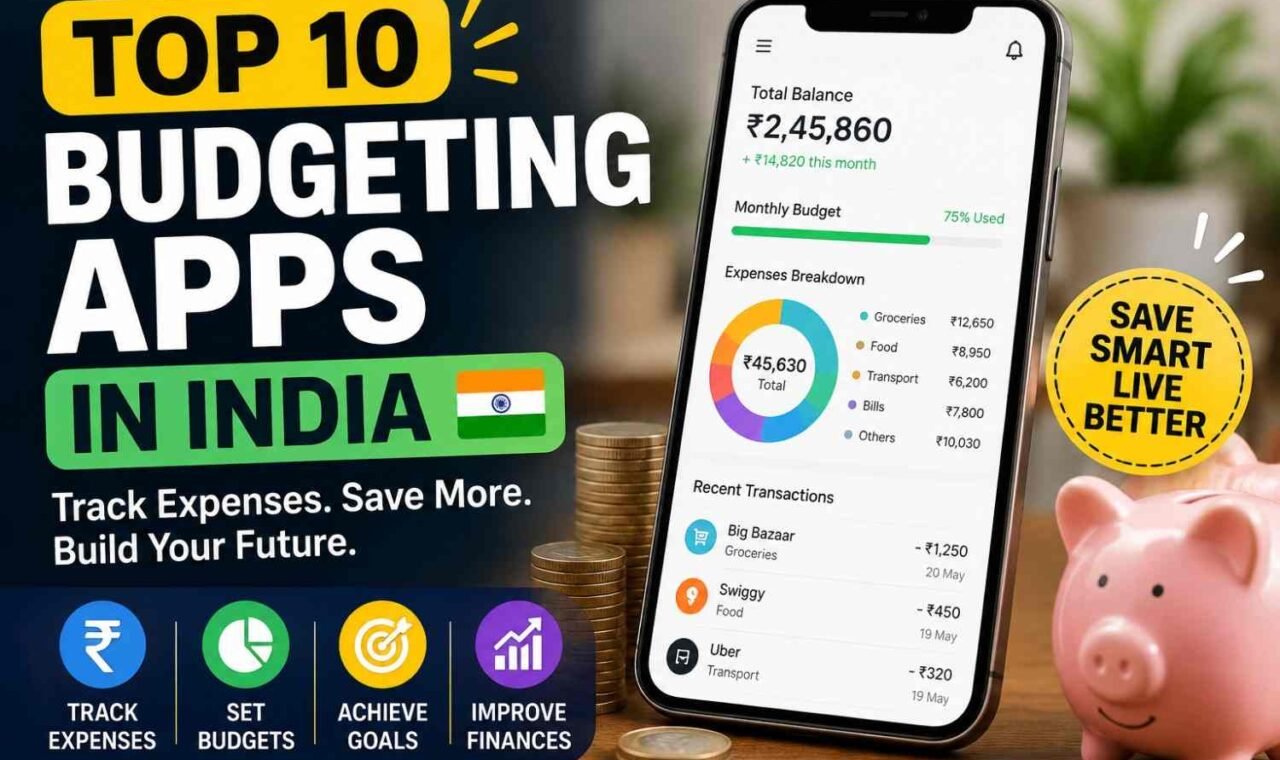
You search best budgeting apps, then 10 names come. More confusion. I faced same thing. One app look clean, but want you enter every dollar. Another app quietly tracks spending from bank. Both are good, but not for same person.
Maybe you want automatic tracking because you hate daily entry. Maybe you want strict zero-based budgeting, where every dollar get one job before you spend. Big difference.
So the best budgeting app 2026 depends on your real money life. Price matters. Bank sync matters too. Privacy, couple sharing, debt, savings goals, manual entry, easy use, irregular income—all these can change the answer.
And one more problem. Some apps are powerful, but too much work. After two weeks, people stop opening them. I have seen this happen often.
Here, we will look for budgeting apps that actually work, including the easiest budgeting app, not just another top 10 list.
Quick Answer: Best Budgeting Apps by Use Case
You may not need the “best” budgeting app. You need one you can still use after month three. I learned this part matters more. Fancy charts look nice, then bank sync breaks or budget takes too much work.
Forbes Advisor tested 14 apps for one month across 29 points in 2026, while NerdWallet also compared apps by how people actually budget. Their results show one thing clear: different apps solve different money problems.
| Best For | App | Budgeting Style | Bank Sync | Free/Paid | Main Strength |
|---|---|---|---|---|---|
| Overall | Origin | All-in-one | Yes | Paid | Budget, investments, planning |
| Beginners | EveryDollar | Zero-based | Paid tier | Free/Paid | Very simple start |
| Zero-based | YNAB | Zero-based | Yes | Paid | Give every dollar a job |
| Couples | Monarch Money | Flexible | Yes | Paid | Shared household money |
| Free option | EveryDollar | Zero-based | Limited free | Free/Paid | Strong free budget |
| Subscriptions | PocketGuard | Spending plan | Yes | Paid | Finds recurring spending |
| Simplicity | Simplifi | Spending plan | Yes | Paid | Easy cash-flow view |
| Privacy/manual | Goodbudget | Envelope | Optional/manual | Free/Paid | Hands-on envelopes |
| Debt payoff | CountAbout | Custom budget | Yes | Paid | Budget plus debt work |
| Net worth | Empower | Tracking | Yes | Free | Wealth overview |
YNAB remains especially strong for hands-on zero-based budgeting, while NerdWallet points to Empower for wealth and spending tracking.
So yes, “best overall” does not automatically mean best for you. Pick around your real habit, not app popularity.
Read=> How to Make a Budget?
2.1 The Top 10 Budgeting and Expense Tracking Apps in India
In India, expense tracking is little different. We pay ₹40 tea by UPI, ₹300 food, EMI, card bill, then some cash also. End of month I sometimes look bank balance and think, where all money gone? This is why a good budgeting app should catch small daily money, not only show fancy graphs.
Here are 10 useful options I would check in 2026:
| App | Good for |
|---|---|
| Jupiter Money | Bank accounts, spending categories, budgets, net worth |
| axio (Walnut) | Automatic SMS expense tracking and bill reminders |
| Money Manager | Detailed manual budgeting and reports |
| Money Lover | Budgets, goals and daily expense records |
| Goodbudget | Envelope-style budgeting |
| Monefy | Fast manual expense entry |
| ET Money | Expenses plus wider personal finance view |
| CRED | Credit-card users and bill tracking |
| BillShot | UPI screenshot and receipt-based tracking |
| Vitmora | Simple manual/UPI-focused daily tracking |
Jupiter says its Money feature can bring bank accounts, expenses, budgets, EMIs and net-worth view together, and says it is used by over 30 lakh Indians. axio takes another route. It reads transaction SMS on the device and automatically builds expense records and bill reminders.
But don’t pick only because app got more features. This mistake I done before. Too many charts, after four days I stop opening.
If your UPI spending is problem, choose quick tracking. If privacy worries you, manual entry can feel safer. If you hate entering every ₹20 expense, SMS or automatic tracking makes more sense. Recent India-focused comparisons also show this split between automatic SMS trackers, detailed budget tools and lightweight UPI trackers.
Your best budgeting app is mostly the one you still use after salary week is over.
3. How We Evaluated the Best Budgeting Apps
I don’t rate a budgeting app because its home page say “smart money.” That means little. We look at what happen when real money life gets messy.
First, I check onboarding. Can you open account, connect bank, and make your first budget without feeling lost? I also watch how much work comes next week. Some apps look easy on day one, then every transaction needs fixing.
We check bank connection reliability, manual transaction entry, CSV import and export, custom categories, recurring bills, savings goals, sinking funds, and debt tracking. Couple access matters too. If two people cannot use it without confusion, that is real problem for household budget.
Mobile and desktop both get checked. A nice phone app with weak web access can become annoying fast.
Privacy also not just one “secure” badge. I look for clear security pages, data rules, account deletion choices, and what happens when you cancel. Cost matters same way. Cheap app is not good value if you stop using it.
Our scoring:
| Area | Weight |
|---|---|
| Ease of use | 20% |
| Budgeting features | 20% |
| Automation | 15% |
| Bank sync | 15% |
| Price/value | 10% |
| Privacy/security | 10% |
| Goal/debt tools | 5% |
| Household sharing | 5% |
Each app was last checked on August 21, 2026. The big question I keep asking: Would a normal person still use this next month?
4. Best Budgeting Apps Compared
I would not pick a budgeting app only because somebody calls it “best.” Your money habit matter more. Some people want every dollar planned. Some just want one clean screen showing, where my money went?
Here is the quick comparison I would look at first.
| App | Best For | Free Plan | Approx. Cost | Budget Method | Bank Sync | Couples | Manual Entry | Net Worth |
|---|---|---|---|---|---|---|---|---|
| YNAB | Serious budget planning | Trial only | $109/year | Zero-based style | Yes | Yes | Yes | Yes |
| Monarch Money | Couples + full money view | Trial only | $99.99/year | Flexible/category | Yes | Excellent | Yes | Yes |
| Quicken Simplifi | Easy spending planning | No ongoing free plan | Varies by subscription | Spending Plan | Yes | Limited/shared use | Yes/CSV | Yes |
| Rocket Money | Bills + subscriptions | Yes | Premium usually $7–$14/month | Category spending | Yes | Limited | Some manual tools | Yes |
| EveryDollar | Simple zero-based budget | Yes | $79.99/year Premium | Zero-based | Premium | Household use | Yes | Limited |
| Goodbudget | Envelope budgeting | Yes | $80/year Premium | Envelope | Premium, U.S. banks | Yes, devices | Yes | No |
Prices checked in August 2026 and can change. Some features also differ by country or platform.
YNAB is the one I would look at when you really want to control future money, not only watch old spending. Main strength is its strong money-planning method. But yes, learning it takes effort. If you hate active budgeting, skip it. YNAB also lets one subscription be shared with up to six people.
Monarch Money feels better for a couple or family wanting budget, investments, goals and net worth in one place. Unlimited collaborators is a big plus. Weak point? No permanent free plan, and $99.99 yearly may feel heavy if you just need grocery limits.
Quicken Simplifi suits you when traditional category budgeting feels like too much work. Its Spending Plan looks at income, bills, planned spending and what remains. I like that idea for normal life. But hardcore zero-based users may find it too loose.
Rocket Money makes most sense when subscriptions and recurring bills are quietly eating your budget. Free tools exist, while Premium pricing generally runs on a flexible $7–$14 monthly range. Great automation. Less ideal if you want deep envelope-style planning.
EveryDollar is simple zero-based budgeting without too much noise. Good for beginners who like Ramsey-style planning. Avoid if you need strong international support; its Premium mobile service is not available internationally.
Goodbudget is different. Old-school envelopes, but digital. I like it for people who want to see limits before spending. Free plan is useful; Premium adds U.S. bank sync. Weakness is no investment/net-worth focus, so it stays mainly a budgeting tool.
Best Overall Budgeting App: Monarch Money
For me, Monarch Money is the best budgeting app overall in 2026, mainly because it does not stop at “you spent $240 on food.” It brings budget, spending, goals, debt, investments, net worth, bills, and household money into one place. That balance matter more than having one fancy feature.
You can use normal category budgeting, or its more flexible budget style. This help when real life does not follow perfect numbers every month. NerdWallet also lists Monarch for flexible budgeting, while its 30-day test found it useful for couples managing shared spending and goals.
Bank syncing is strong in reach. Forbes says Monarch can connect with more than 13,000 financial institutions, including banks, cards, loans, and investments. But this part is not always smooth. Recent Forbes testing also found user complaints around account sync and transaction importing. So yes, powerful, but you may need fix categories or reconnect an account sometimes.
I like its household setup more. Two people can manage money under one subscription, see shared finances, build goals, and watch net worth together. Reports are also useful when you want know, “Where exactly our money leaking?”
Cost can hurt. Monarch Core is $99.99 yearly or $14.99 monthly, with no permanent free plan.
Best for: Couples and households wanting one complete money dashboard.
Avoid if: You only need a free, very basic budget.
Main advantage: Budgeting + goals + spending + net worth in one place.
Main limitation: Price and occasional syncing trouble.
If you need the best money management app and also the best app for tracking spending, not just strict budgeting, Monarch is one of the most balanced choices now.
Best Budgeting App for Beginners
First budget app should not feel like accounting homework. This is where many beginners stop. Too many boxes, 30 spending groups, charts everywhere, then bank asking to connect. You open app two days. After that, gone.
For a best budgeting app for beginners, I prefer simple before powerful. You need to see three things fast: what came in, what went out, and what is still safe to spend.
Do not build 40 tiny categories in first week. Start maybe with 5–10:
- Home and bills
- Food
- Transport
- Debt
- Savings
- Fun
- Other spending
That alone can show where money leaking.
Automatic transaction categorization also help. You buy groceries, fuel, coffee, app puts them into likely groups. But check it. Automation make mistakes too.
For beginners, EveryDollar is one simple zero-based option. Its free version uses manual transaction entry, while paid Premium can connect bank accounts and bring transactions automatically. NerdWallet also lists it for simple zero-based budgeting.
If you hate manual work, an automatic simple budgeting app may fit better. Copilot Money, for Apple users, automatically categorizes spending and shows cash flow and upcoming bills, though it is paid.
My small rule: choose the easiest budgeting app you will open every week. Fancy reports mean nothing when you quit using it.
Next, compare 2 apps for one month before moving all your money tracking into one.
7. Best App for Zero-Based Budgeting
For zero-based budgeting, YNAB is still one of the strongest choices. The idea is simple. Every dollar coming into your account gets one job before you spend it. Rent. Food. Fuel. Debt. Saving. Fun also. Nothing should sit without purpose.
I like this method because money stop feeling invisible. You open the app and tell your income where to go.
YNAB works with categories. You can make groups for bills, groceries, travel, emergency fund, car repair, yearly insurance, anything. If you overspend in one place, you move money from another category. That part feels painful first. But useful pain. You see the trade-off.
Rollover also matters. If $80 stays in your car repair category this month, it can stay there for next month. Slowly this becomes a sinking fund. Same idea works for Christmas, annual fees, school cost, repairs, taxes, and other irregular expenses.
Credit cards can confuse beginners. YNAB handles card spending by moving budgeted money toward your card payment category. Still, first few weeks may feel messy.
This method suits people who want control, debt payoff, or irregular expense planning. It can be very powerful because you decide before spending, not after.
But not everyone enjoy this. Some users feel zero-based budgeting is too much work.
If you want a simpler YNAB alternative, an envelope budgeting app may feel easier.
The best zero based budgeting app is the one you can keep using when real life becomes untidy.
Best Budgeting App for Couples
Money talk between couples can become strange very fast. One small food bill, one shopping charge, then “why you spent this?” start coming. So the best budgeting app for couples should not only show numbers. It should help both people see same plan without feeling watched every minute.
For couples who want one serious shared budget, YNAB Together is a strong choice. YNAB says one subscription can include up to six people, and every member gets own account and login. The group can share budgets, goals, categories, and spending plans without passing one password around. That make it useful as a budgeting app for married couples or even a family budgeting app.
But privacy matter too. Maybe you share rent, groceries and vacation goal, but you do not want every personal coffee or gift showing. Honeydue gives couples control over account visibility. You can share balances and transactions, balance only, or nothing for an account. Even one transaction can be hidden.
I think this part is more important than fancy charts. A shared budget app cannot fix unclear money rules.
Before choosing one, sit together and decide: which accounts are joint, what stay personal, how much each person can spend freely, and what goals both are building. Then notifications become useful, not another reason for fight.
9. Best Free Budgeting App
Free sounds better when we already trying to save money. I also ask same thing: why pay for an app that is supposed to help me spend less? Sometimes, you really don’t need.
Goodbudget is one useful free money management app if you like envelope budgeting. Its free plan gives 10 regular envelopes, 10 goal/annual envelopes, one account, two devices, debt tracking, and one year transaction history. But automatic bank sync is Premium and only for US banks. Premium also opens unlimited accounts and seven years history.
EveryDollar also lets free users build a budget and manually enter transactions. You can add bank accounts manually too. But automatic transaction import, custom reports, CSV downloads, due-date reminders, and Bank Connect sit behind Premium.
So free does have trade-offs.
| Need | Free can work? |
|---|---|
| Manual entry | Yes |
| Basic budget | Yes |
| Savings goals | Often |
| Bank syncing | Often paid |
| Advanced reports | Often paid |
| Export tools | May be paid |
For me, the best free budgeting apps are not about having every feature. If you can track spending, plan bills, and actually keep using it, that free expense tracker already doing its job.
10. Best Budgeting App for Debt Payoff
Debt looks simple on paper. Pay bill, reduce balance. But real life not moving like that.
A good best budgeting app for debt payoff should show more than your credit-card balance. You need minimum payment, loan balance, interest, due date, and where extra money can come from.
I like when a debt tracker app makes one thing clear: “If I spend less here, I can pay more there.”
For example, maybe your food delivery is $160 this month. You cut it to $90. Now $70 can move straight to the card. Small number, yes. But repeated every month, debt starts moving.
You can choose two common methods:
- Debt snowball: Pay smallest balance first. Good when you need quick wins.
- Debt avalanche: Pay highest-interest debt first. Usually better for reducing interest cost.
A useful budgeting app for credit card debt should also show progress charts. Watching a balance fall from $8,000 to $7,200 feels different than just paying bills blindly.
Also check spending groups. Food. Shopping. Apps. Travel. Random small buys.
That is where repayment money often hiding.
Your budget should not only say where money went. It should help you decide where next dollar goes.
11. Best Budgeting App for Saving Money and Sinking Funds
Saving money looks easy in January. Then car repair come. Insurance bill come. Birthday gifts also waiting. Suddenly your “good budget” become broken.
This is why I like a budgeting app with sinking funds.
A sinking fund is simple. You know a big cost coming later, so you save small money every month now. Not emergency. Planned money.
You may create separate goals like:
- Emergency fund
- Vacation fund
- Car maintenance
- Insurance premiums
- Annual subscriptions
- Gifts
- Home repairs
- Taxes
Example, your yearly insurance bill is $1,200. Instead of finding $1,200 in one painful month, save $100 each month. Same bill. Much less shock.
This is where a good budgeting app for saving money really help. It should let you create many goals, set target amount, add target date, and show how much still missing.
I learned one thing from budgeting. Monthly bills are not always the problem. The dangerous ones are expenses we “forget” because they come only once or twice in year.
A useful savings goal app keeps those future costs visible.
So when choosing the best app to save money, don’t only check pretty charts. Check whether it supports goal tracking, rollover money, sinking funds, and separate saving buckets.
Your future expense should not feel like emergency when you already knew it was coming.
Best Budgeting App Without Linking Your Bank Account
Not everybody feel okay giving bank access to one more app. I understand this. Sometimes I only want to see where money going, not connect my whole financial life.
A budgeting app without linking bank account works little different. You type spending yourself, like ₹500 groceries, $40 fuel, or rent payment. Some apps also let you upload a CSV bank statement, so you avoid typing every transaction. In 2026, tools such as Actual Budget and other privacy-first apps also offer local or self-hosted options.
There is a trade.
Manual budgeting gives you more control, but you must do some work. Miss three days, transactions start piling. Bank-connected apps feel easier because spending can appear automatically.
Some people specifically search for a budgeting app without Plaid because they don’t want continuous financial-data sharing. Plaid says, depending on the connection and service used, shared information can include balances, transactions, account details, and account-holder information.
For me, a manual budgeting app makes sense when privacy matter more than speed. Enter purchases weekly, or import CSV once every few days.
So simple choice: bank sync gives convenience. A private budgeting app with manual entry gives more control over what financial information you share.
13. Best Budgeting App for Irregular Income and Freelancers
Freelance money never come same way every month. One month you feel rich. Next month, silence. I seen this problem many times with gig workers, commission people, small business owners too. So a normal fixed budget can feel useless.
A good budgeting app for irregular income should help you plan from low income month, not from your best month.
I like this simple method:
- Find your minimum monthly expenses. Rent, food, bills, loan, basic travel.
- Budget from conservative income. Use your low normal month, not dream month.
- Build income buffer. Good month money should support bad month.
- Keep tax money separate. Freelancer income can look bigger because tax not removed yet.
- Use surplus carefully. First emergency fund, sinking funds, debt, then lifestyle.
For example, if you earn $4,000 one month and $2,100 next month, don’t build life around $4,000. That is where trouble starts.
A strong freelancer budgeting app should show cash flow, sinking funds, tax reserves, and future bills. Same for a gig worker budgeting app.
Seasonal workers need another thinking. December may be strong. February maybe weak. We must smooth money across months.
Good month is not bonus month always. Sometimes it is just money waiting for bad month.
Best Budgeting Apps for India and UPI Users
Many best budgeting apps India lists still push tools made mainly for US banking. That can become problem fast.
In India, money moves different. UPI payment for tea. PhonePe for grocery. GPay for fuel. Credit card for online shopping. EMI every month. Some cash also sitting outside app. Your budget tool should understand this life, not only bank account linking.
For me, a useful best budget app for UPI should handle ₹ properly and catch spending without making you type every ₹50 payment.
Some India-focused tools now use bank SMS instead. SpendCtrl says its Android app can read UPI and bank transaction alerts locally, while keeping transaction data on the phone. Trakio also supports bank-SMS detection, budgets, loans and savings goals built around Indian use.
A good UPI expense tracker should check:
- UPI, debit and credit card spends
- EMI and recurring bills
- Cash entry when needed
- INR and Indian number format
- SMS auto-detection or easy manual import
- Clear privacy controls
- Family or shared spending if required
This part matter. International apps may look better, but bank sync can differ by country and bank. Before paying yearly fee, test your own SBI, HDFC, ICICI, Axis or other account first.
For a budgeting app for Indian families, I would choose reliable transaction capture first. Fancy charts come later. Missing spends make beautiful budget useless.
Budgeting App vs Expense Tracker vs Spreadsheet
A lot of people compare a budgeting app vs spreadsheet like both doing same job. They not.
I learned this after using simple sheets first. Sheet was nice. Full control. But every week I was entering numbers, fixing rows, checking totals. After some time, it feel like small office work.
A budgeting app works different. It tries to help before money gone. You set rent, food, bills, saving, fun money. Then app tells where your money should go.
An expense tracker mostly looks backward. It says, “You spent this much on food.” Useful, yes. But it may not stop you before spending.
| Tool | Best For | Automation | Planning | Privacy | Cost | Maintenance |
|---|---|---|---|---|---|---|
| Budgeting app | Forward planning | High | High | Medium | Free/Paid | Low–Medium |
| Expense tracker | Seeing past spending | High | Low | Medium | Free/Paid | Low |
| Spreadsheet | Full control | Low | High | High | Usually Free | High |
So budgeting app vs expense tracker is really planning vs watching.
If you always ask, “Where did my salary go?” an expense tracker can help.
If you ask, “How much can I spend this week?” budgeting app is better.
Now budgeting app vs Excel or app vs Google Sheets budget becomes another choice. Spreadsheet gives freedom. You can build anything. Debt table, saving goal, yearly plan, even weird custom categories no app gives.
But freedom also means work.
Apps save time with auto imports and categories. Sheets give more privacy and control.
For me, simple rule works: if you enjoy numbers, use spreadsheet. If you hate updating rows, use app. If you only want to see spending leaks, expense tracker may be enough.
The best tool is the one you still use after three months.
Are Paid Budgeting Apps Worth It?
Paid budgeting apps can be worth money. But not for every person.
I always look at one thing first. Did this app change how you spend, or only show pretty charts?
A monthly plan may look cheap. $8 here, $10 there. Annual payment usually comes cheaper, but now you pay full year before knowing if you will use it.
Some paid apps give useful things.
- Bank sync saves manual entry time.
- Couple access helps both people see same budget.
- Automation moves transactions into categories.
- Subscription tracking may catch forgotten charges.
- Alerts can stop spending before month gets ugly.
But features alone mean nothing. You need some money result.
Try this simple check:
Annual app cost ÷ yearly financial improvement = value check
Say your budgeting app costs $100 per year. It helps you notice $50 each month going into food delivery, unused apps, random shopping. That is $600 found in one year. Paying $100 may make sense.
But maybe nothing changes. You still overspend. You ignore alerts. App stays unopened for two weeks. Then even $30 is waste.
I used spreadsheets before apps become so common. They work fine when your accounts are few and you enjoy entering numbers yourself.
A free budgeting app or Google Sheet is enough if you mainly need spending totals and simple monthly limits.
Paid app becomes useful when it saves real time, keeps you consistent, or changes bad money habits.
Next, compare your app cost with the money or time it actually saved in the last 90 days.
17. Common Budgeting App Problems and How to Fix Them
A budgeting app looks easy until real bank data starts coming inside. Then some strange things happen. I seen this many times. Balance wrong. One coffee showing two times. Grocery goes under “shopping.” You start asking, why budgeting apps fail when they should make money simple?
Most problems are fixable.
| Problem | Why it happens | What you can do |
|---|---|---|
| Budgeting app not syncing | Bank connection can expire, bank may change login system, or import gets delayed | Reconnect account first. If still broken, use manual entry or file import. YNAB, for example, supports file-based imports and currently recommends CSV format. |
| Budgeting app duplicate transactions | Bank may change transaction date, name, amount formatting, or other details after first import | Delete/reject duplicate, then reconcile your balance. YNAB gives this exact advice for repeated imports. |
| Budgeting app categories wrong | Auto system guesses using merchant history | Correct category and create merchant/payee rules where app allows. YNAB also remembers recent categories for known payees. |
| Missing spending | Transaction may still be pending or sync is late | Wait for clearing, then compare app against bank statement. |
| Credit-card payment counted twice | Payment recorded like spending instead of account transfer | Mark it as transfer between accounts, not new expense. |
| Budget always negative | Your limits maybe based on dream spending, not real spending | Check last few months. Raise true costs first, then cut slowly. |
| Annual bills break everything | Yearly cost was forgotten | Make sinking fund. Divide insurance, gifts, repairs, fees into monthly amounts. |
Another issue is human one. Too many categories. Partner stopped entering things. App feels like homework.
I would simplify before changing apps. Maybe 8 useful categories is better than 42 perfect ones. Check money once every week, not twenty times every day.
Privacy also matters. You don’t always need live bank linking. Manual entry works, and file import can be middle road.
And paid app feeling expensive? Calculate what it really saves you. If $80 yearly app changes nothing, bad value. If it catches waste and helps you stop $40 monthly overspending, different story.
The fix is not always “find another app.” Sometimes your budgeting system itself need becoming simpler.
Why People Quit Budgeting Apps — and How to Make One Stick
Many people download budgeting apps with big hope. First day feels good. Categories ready. Bank linked. Goals made.
Then after some days, the app feels like work.
I seen this problem many times. Too many categories is one reason. Food, coffee, snacks, fuel, home, small shopping, random payment. You keep moving every transaction. Soon you stop caring. Then bank sync breaks one day, and whole budget looks wrong.
Another issue is strict limits. You set ₹3,000 for eating out, but real life goes above. Then guilt starts. You feel budget failed. Actually, maybe the budget was not real from beginning.
Couples also face this. One person checks app daily. Other person forgets. Frustration comes fast.
What works better?
- Start with only few useful categories.
- Track spending first for 2–4 weeks.
- Make budget after seeing real numbers.
- Check your app once a week, not every hour.
- Automate bills and repeated expenses.
- Keep some guilt-free money. You need life also.
- Use sinking funds for yearly bills, repairs, gifts, travel.
- Stay with one system for 30–90 days before switching.
The best budgeting app is not one you keep changing. It is one you can live with.
If your app feels heavy, do not add more features. Remove things. Make it boring, simple, useful. That is often where budgeting finally starts working.
How to Choose the Best Budgeting App for You
Choosing the best budgeting app looks easy until you install one. Then bank links, categories, paid plans, charts, all coming. I have seen this problem many times. People choose the app first. But actually, your money habit should choose the app.
Before downloading anything, ask yourself these 7 questions.
- Do you want active budgeting or only expense tracking?
If you want to decide where every dollar goes, use a zero-based budgeting app. If you mostly want to see where money disappeared, a simple spending tracker may be enough. - Do you want automatic bank sync?
Bank sync saves time. But sometimes connection breaks or transaction comes late. If this annoys you, manual entry can feel cleaner. - Are you okay sharing financial data?
Some people are fine linking accounts. Some are not. If privacy is your big worry, choose a budgeting app without linking bank account, or use CSV upload. - Are you budgeting alone or with partner?
For couples, shared view is useful. Two logins, shared goals, and personal spending space matter more than fancy graphs. - Is your income fixed every month?
Salary people can use normal monthly budgets. Freelancers may need flexible planning, income buffer, tax category, and sinking funds. - What do you really need to track?
Debt? Savings? Investments? Net worth? Do not pay for features you never open. - Will you pay every year?
This one hurts little. A paid app should save time, reduce mistakes, or help spending control. Otherwise, free app or spreadsheet may be enough.
Simple map is this:
| Your need | Better app style |
|---|---|
| Easy budgeting | Spending-plan app |
| Every dollar planned | Zero-based app |
| More privacy | Manual/CSV tool |
| Couple budgeting | Shared finance app |
| Net worth + investments | Full money-management app |
The best budgeting app is not the smartest one. It is the one you still use after 3 months.
Security and Privacy: Are Budgeting Apps Safe?
A budgeting app can see a lot about your life. Rent. Grocery. Salary. Debt payment. Even that late-night food order. So yes, I check security before I connect any bank.
Good budgeting apps may use encryption, MFA, and bank-data services to move account information. But “secure” never mean 100% safe. Some apps get account data through third-party aggregators, not directly from your bank. In the U.S., CFPB rules say authorized third parties should limit collecting, using, and keeping financial data to what is reasonably needed for the service you asked for.
I also look for read-only access where available. Still, don’t stop there.
Your transaction data may show merchants, balances, account details, spending habits and payment history. Check the privacy policy. See who data can be shared with. Check how long they keep it. More important—what happen after you delete account?
My quick safety check
- Does app offer MFA?
- How does bank access work?
- Can you delete account and data?
- Is third-party sharing clearly told?
- Can you use manual entry without live bank access?
- Can you export transactions before cancelling?
CFPB rules also require clear authorization when qualifying third parties access covered financial data, though implementation of the broader U.S. rule has faced court-related delays.
Before paying, I export my data once. If this basic thing is hard, that itself tells me something.
21. Frequently Asked Questions
What is the best budgeting app in 2026?
For most people, I would start with Monarch Money. It put spending, budgets, goals, accounts, and net worth in one place, without making money life feel too messy. Still, “best budgeting app” changes by you. Zero-based budget person may like YNAB more. Privacy-first user may want manual app.
What is the best free budgeting app?
Goodbudget is one useful free choice. Free plan gives 10 regular envelopes, 10 extra envelopes, one account, two devices, debt tracking, and one year history. But automatic US bank sync sits in Premium. So free works better if you don’t mind entering money yourself.
What is the easiest budgeting app for beginners?
I think beginner should first look for simple spending visibility, not 50 fancy charts. Monarch has flexible and category budgeting, while automatic transaction sorting remove some work. Yet somebody wanting very basic manual envelopes may feel Goodbudget easier. Start small. Five or eight useful categories is enough.
Is YNAB worth the price?
YNAB currently costs $109 yearly or $14.99 monthly, with a 34-day trial. I find it makes most sense when you really want to give every dollar a job, plan debt, and check spending often. If you only want passive expense tracking, price can feel heavy.
What budgeting app is best for couples?
Monarch is strong here because you can invite your partner at no extra cost and see joint and separate accounts together. But app can’t fix money arguments itself. We still need shared goals, personal spending space, and small weekly talks.
Are budgeting apps safe to connect to bank accounts?
They can use encryption and financial-data providers, but I never call any money app “100% safe.” Read privacy policy, enable MFA when offered, check what data gets shared, and know how account deletion works. Convenience is nice. Your bank data needs more care.
Can I use a budgeting app without connecting my bank?
Yes. Manual entry works, and some apps support file imports. YNAB, for example, allows manual transactions and file-based importing. You lose some automation, but gain more control.
Is a spreadsheet better than a budgeting app?
Sometimes, yes. Spreadsheet gives control, privacy, formulas, and often no subscription. App wins when you want bank sync, automatic categories, shared access, and less typing. My rule is simple: use the system you will still open three months later.
Final Verdict: Which Budgeting App Should You Choose?
Choosing the best budgeting app is not same for every person. Your money life different. Your habits also.
If you are beginner, pick simple app. Too many charts can make you stop using it. If you like zero-based budgeting, choose one where every dollar get a job before spending. Couples need shared access, clear goals, and some personal space too. Privacy worry? Manual entry or CSV budgeting can feel more safe and controlled.
Debt is your main pain, then use app with payoff tracking, payment goals, and spending limits. If your family already manage investments and many accounts, look for budgeting plus net-worth tracking. Freelancer income goes up and down, so fixed monthly budget may fail. You need flexible income planning, tax buckets, and buffer money.
I learned one simple thing. Fancy app not always useful.
The best budgeting app is the one you can keep using, understand fast, and trust every week.





One comment